Cekping.id
A community-driven network observability platform. Deploy lightweight probes to monitor global internet latency, packet loss, and uptime from the edge
Tools like ping.pe are legendary in the sysadmin community for their raw utility. However, their legacy, text-heavy interfaces often lead to cognitive overload during critical server outages. Reading raw terminal outputs across 50+ global nodes is powerful, but scanning that data for packet loss or latency spikes is visually exhausting and not mobile-friendly.
Role
Timeline
2026
Company
Community
Tools
Figma, React, Next.js
The Problem: The Legacy UI Bottleneck
Tools like ping.pe are legendary in the sysadmin community for their raw utility. However, their legacy, text-heavy interfaces often lead to cognitive overload during critical server outages. Reading raw terminal outputs across 50+ global nodes is powerful, but scanning that data for packet loss or latency spikes is visually exhausting and not mobile-friendly.
The Goal
To build Cekping.id—a modern, interactive alternative. The challenge was to introduce better data visualization and modern UX without alienating highly technical users who despise "fluffy" or overly simplified designs. It needed to remain raw, fast, and tech-friendly.
The Design Strategy (Designing for Developers
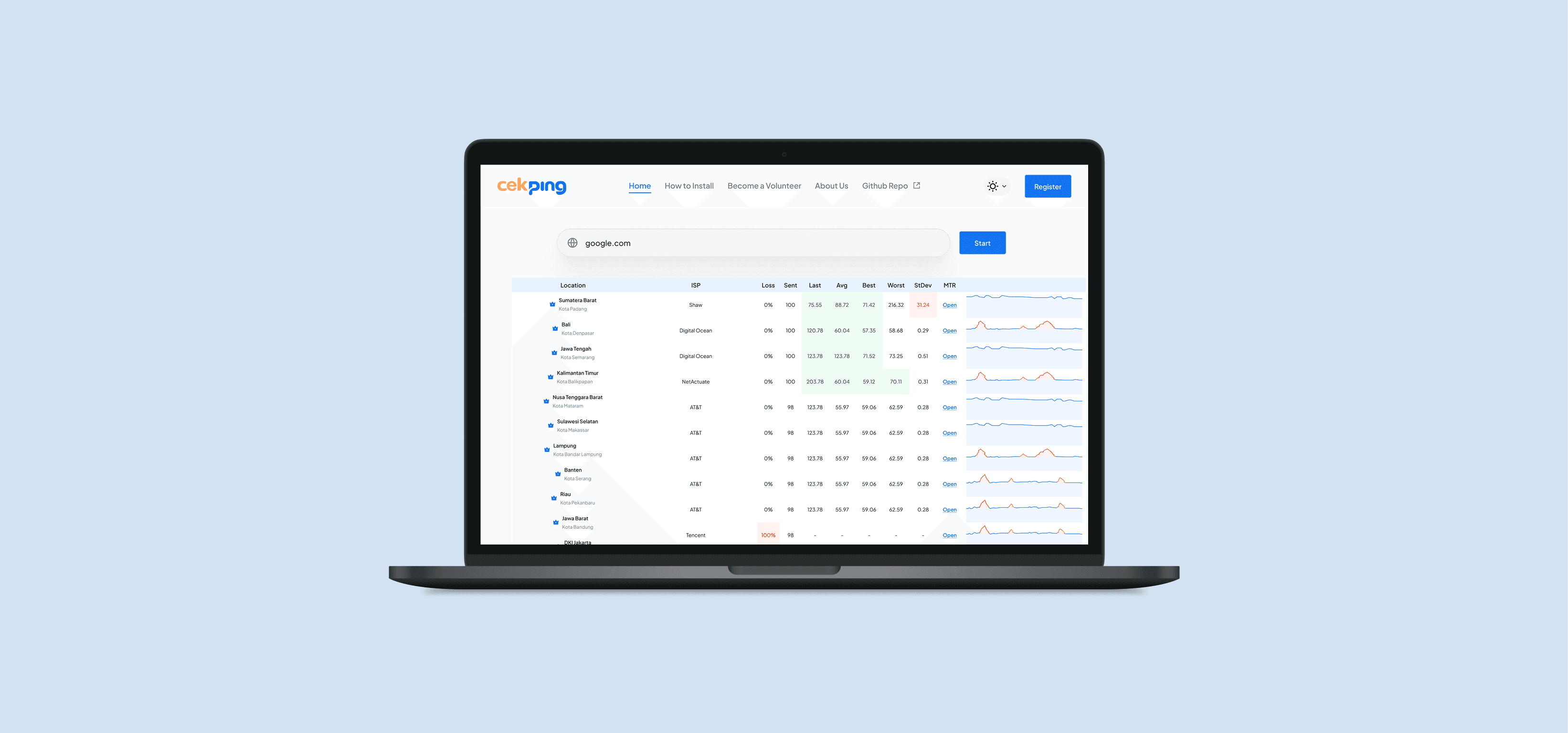
- High-Density UI: Sysadmins need to see as much data as possible without scrolling. I designed compact data tables with monospace typography (for IPs and MS latency) to ensure numbers align perfectly for quick scanning.
- Visualizing Outages: Instead of just text, I introduced micro-charts and strict color-coding (Green for stable, Red for packet loss) so network bottlenecks can be identified in a fraction of a second.
Key Features & Implementation
Interactive Global Routing (The Core Utility)
The UX: I designed a centralized dashboard where users can input an IP/Domain and instantly visualize Ping, MTR (My Traceroute), and TCP Port checks across worldwide nodes. The Development: Sliced the complex data tables into responsive frontend components that can handle real-time data streams without lagging the browser.
Decentralized Custom Probes (The Game Changer)
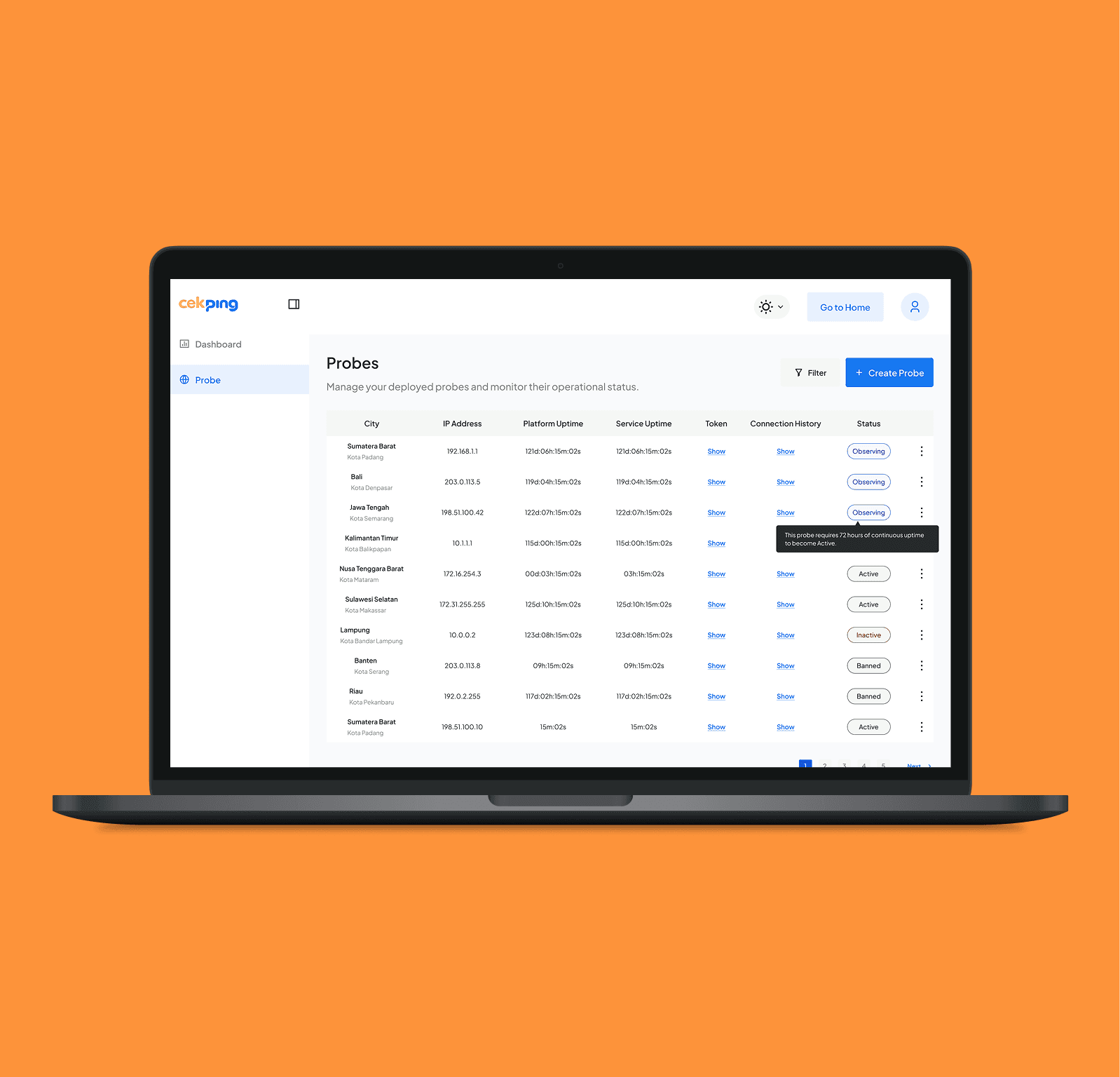
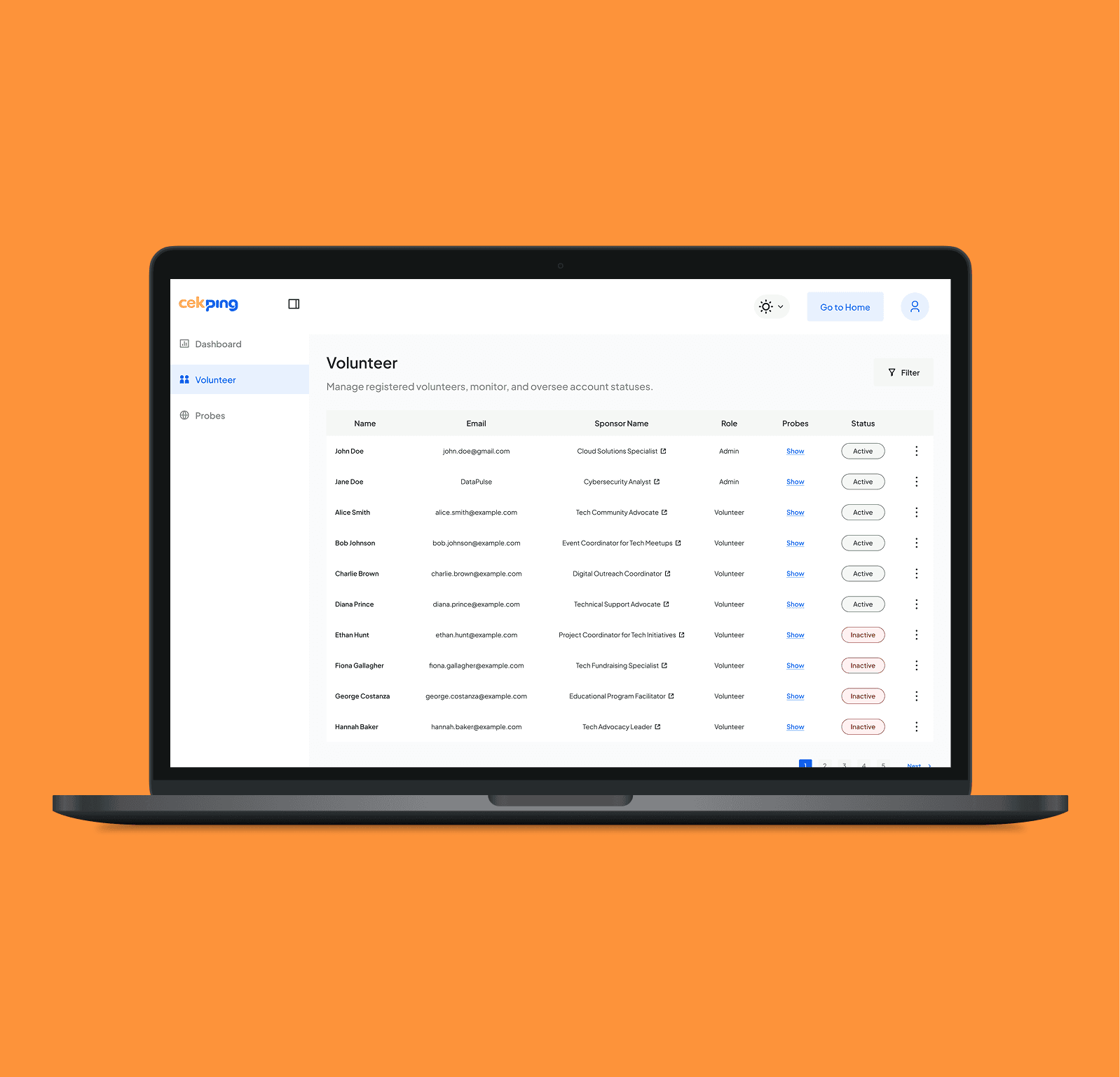
The Logic: Unlike traditional tools locked to specific servers, Cekping.id allows a distributed network. The UX Flow: I designed an intuitive onboarding flow that enables users to easily deploy and install their own local probes (nodes). By contributing their server locations to the network, users create a highly accurate, community-driven diagnostic ecosystem.
Tech-Friendly "Dark Mode" Default
Knowing the target audience spends hours staring at monitors in dark NOC (Network Operations Center) rooms, the interface was built with a high-contrast, low-eye-strain Dark Mode as the primary theme.
The "Zero-Handoff" Execution
From Design to Production Code: Because this application is entirely data-driven, creating static Figma mockups wasn't enough. I took full ownership of the frontend architecture:
- Direct Slicing: I translated the intricate Figma designs directly into clean, scalable frontend code.
- State Management UX: Engineered the loading states (skeleton loaders) and error handling directly in the code to ensure the app feels incredibly fast and responsive, exactly what a Sysadmin expects from a diagnostic tool.
Experience it live:
View Live Project ↗

"Cekping.id successfully bridges the gap between hardcore network utility and modern product design. By handling both the UX strategy and the frontend development, I delivered a platform that empowers engineers to troubleshoot global network issues faster, packaged in an interface they actually enjoy using."
Explore More Work

MyFit
UI/UX Design

Maxcloud App
UI/UX Design

Frog Private Cloud
UI/UX Design

Logo Design Collection – PT Awan Data Indonesia
Visual Design

Frog – Cloud Infrastructure Management Platform Landing Page
UI/UX Design

Cekping.id
UI/UX & Development

Bladerunner Landing Page
UI/UX Design

Frog Mobile - Cloud VPS Monitoring App
UI/UX Design

PT Awan Data Landing Page
UI/UX Design

Wingsee
UI/UX Design